Is Your Website Soooo 1997? Basic Boxy and Boring Websites

The Internet Dark Ages

Remember the rush in the 90’s when every business owner wanted and needed to get a website thrown up on the Internet in order to compete and do business in the new digital environment.

Websites back then were…well, UGLY. It seemed they all had the standard header at the top, followed by a boxy, template look with a lack of flow down the rest of the page. There were way too many words on a single page, reading like a book with paragraph after paragraph of long, boring text. They shared a basic layout with nary a photo in site, except for the logo at the top, and blogs were not yet a “thing”. Technology was much slower, and there weren’t very many tools to design a website that made it easy to design and edit.

So let me ask you – is your website basic, boxy and boring, like 1997?

I’m pleased that web design has come a long way in the past decade or so. Internet speed has picked up in most regions, and beautiful imagery makes the user experience much more pleasant. Having video on one’s site is now in reach like never before, and the cost to create and maintain a website is far more reasonable than before.

Why then, do so many businesses still have websites that look old and unfriendly?

The Journey Back to a Fabulous Website

We at Wordflirt® recently gave our website a makeover, as we do every year or so. Things change constantly, and with the demands of helping our clients look good, we sometimes look a bit crusty ourselves. As I do with my clients, I like to include the following features that bring a website more cuGive your website a spa day!rrent:

  • A wide, broad look across the page, beginning with a large image at the top, also known as a “hero” area. This captures the attention of the visitor, and usually contains a call to action.
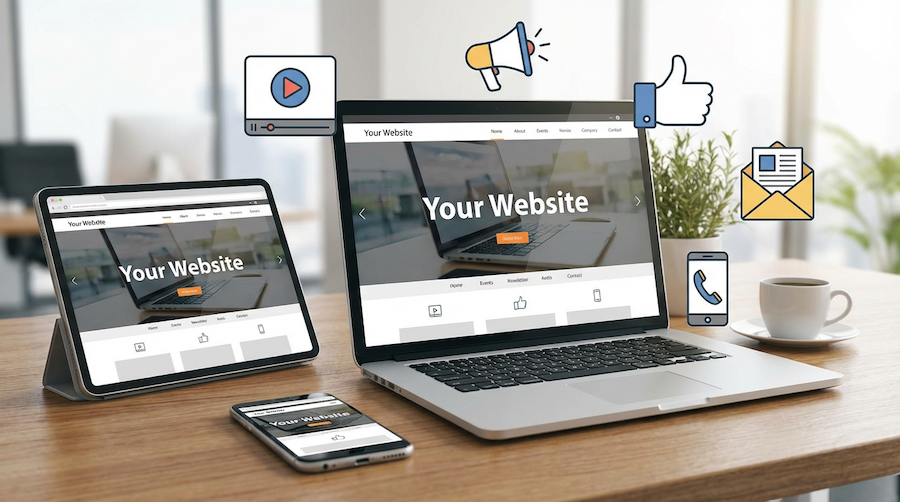
  • Responsive technology – this is a must for every website, because about 80% of website visitors these days are viewing your site from a mobile device such as a phone or tablet.
  • Animation of features, such as counters, and flip boxes. These are highlight areas on the page, which move when you come to them, or hover over them.
  • A parallax affect that makes a site appear to have layers so that when you scroll, part of the background image is still visible but moves with the text. I love this look!
  • More images, less text. Sure, you want to give as much information about you and your product/service as possible, but we don’t recommend doing this on the homepage. Inner pages are a better place for more detail, and even then, it should be broken up into small paragraphs and images that represent what you’re trying to say.
  • Social sharing is an absolute must. Google likes to see that you provide the opportunity to share parts of your website on social channels. Each page and post should have sharing links for all the main social media venues.
  • Video backgrounds used cautiously. Video backgrounds on the homepage look really cool once they finally load. Therein lies the problem. Video, if not done properly, can slow the loading speed of the homepage, which can lead to two problems – one, your user gets impatient and leaves and, two, Google penalizes you for slow content.
  • Contact information on every page. In addition to the actual contact info, we like to put contact boxes on most of the pages to make it easy for visitors to contact the website owner. In older site designs, you often had to hunt around for the contact information, making it burdensome.

Finally, a website should be intuitive, making it easy for the visitor to find what they need. If a visitor can’t find what they need, they will become frustrated and you could lose a lead.

I understand how difficult it can be to manage a digital presence for a business owner or team, and not everyone can have a technology employee on board. But my advice to you is to look at your website at least once every 18 months or so to make sure you still appear modern and relevant. Having a website is not a “set-it-and-forget-it” endeavor. It should always be growing and evolving just like your business.

Mastering Reverse Mortgage Guide
November 26, 2025
Learn how to create effective reverse mortgage newsletters with engaging content, compelling subject lines, and strategies to grow your subscriber base.

Effective Reverse Mortgage Flyers
November 23, 2025
Discover effective strategies for designing, distributing, and tracking reverse mortgage flyers to reach a broader audience and boost leads.

Reverse Mortgage Marketing Companies
November 19, 2025
Discover effective strategies for marketing reverse mortgages and helping seniors access financial solutions for a secure retirement.

 reverse mortgage website design
November 16, 2025
Discover key design elements for creating an effective and user-friendly reverse mortgage website that builds trust and drives conversions.

Marketing Strategies for Reverse Mortgages: A Comprehensive Guide
November 13, 2025
Discover effective marketing strategies for reverse mortgages, targeting the right audience and driving engagement in this comprehensive guide.
By Claudia Loens November 10, 2025
Learn how to create simple, effective holiday social media content using ChatGPT. Includes easy tips for LinkedIn, Facebook, Instagram, and more.
Marketing for a mortgage broker
November 10, 2025
Discover effective marketing strategies for mortgage brokers to attract clients, build trust, and grow your business in a competitive market.
Woman typing on laptop at wooden desk near brick wall. Cup of coffee and papers on desk.
By Claudia Loens November 9, 2025
Discover which marketing channel drives more conversions — email newsletters or social media — plus practical tips to launch both and boost your results.
By Claudia Loens November 7, 2025
...Like Yesterday...
Marketing Plan for a Mortgage Broker: A Step-by-Step Guide
November 7, 2025
Learn how to create a winning marketing plan for mortgage brokers to attract clients, build trust, and grow your business effectively.
Show More